
How to Set-up Phone and SMS for Voice, Calls, and Text Messaging
Ready to amplify your customer communications? In this article we will cover how to purchase and connect your phone service effortlessly so that you can start engaging your audience via SMS and voice channels.
—
Please note that if you plan on using your phone number for texting purposes, you must register your brand and apply for A2p Verification. To learn more about this process please see our Phone Number Verification Guide.
—
Setup Phone
Want to offer instant, personalized interactions? Add phone numbers swiftly to your platform and be reachable in no time.
Navigate to Settings > Phone Numbers.
Click Add Number > Add Phone Number.
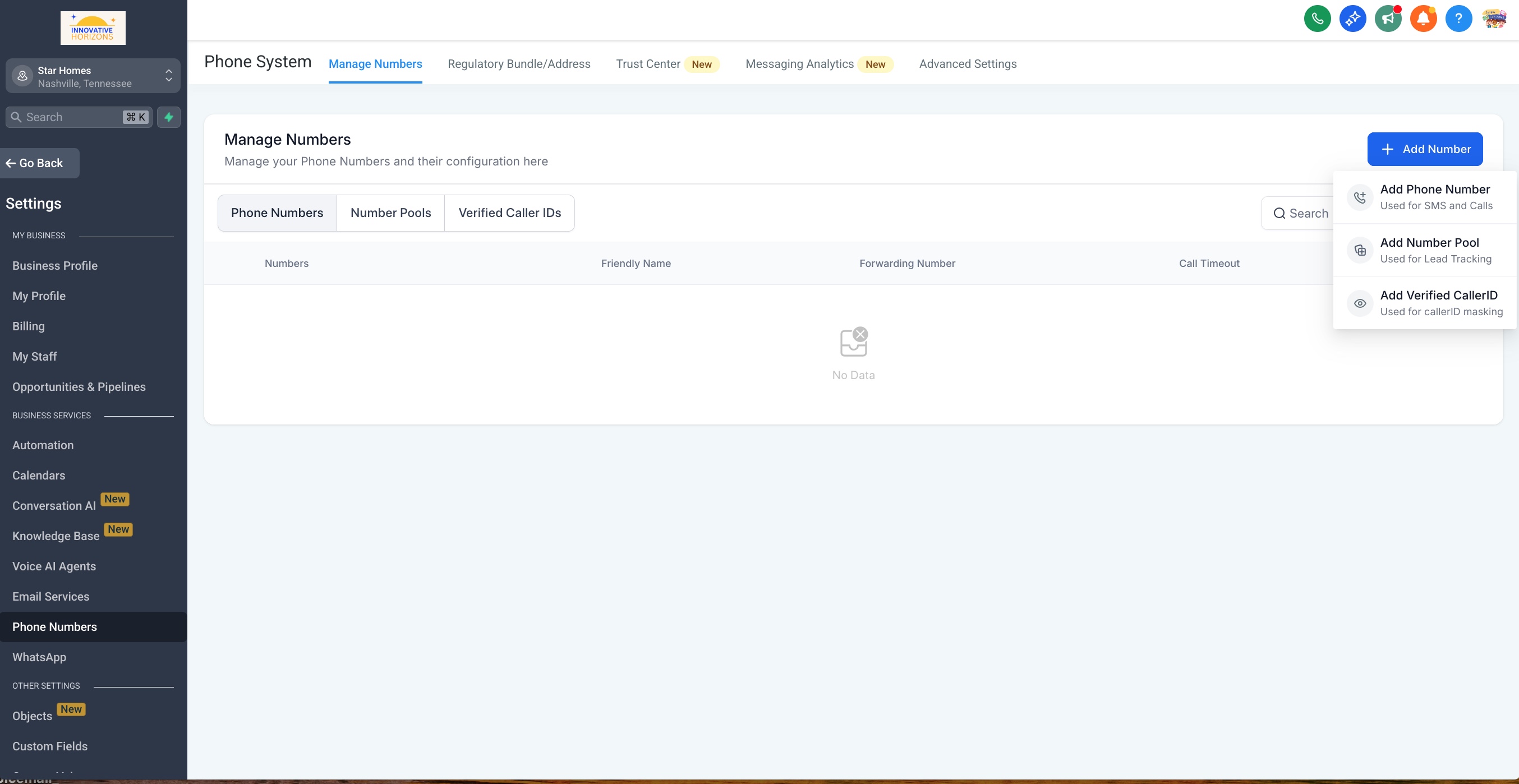
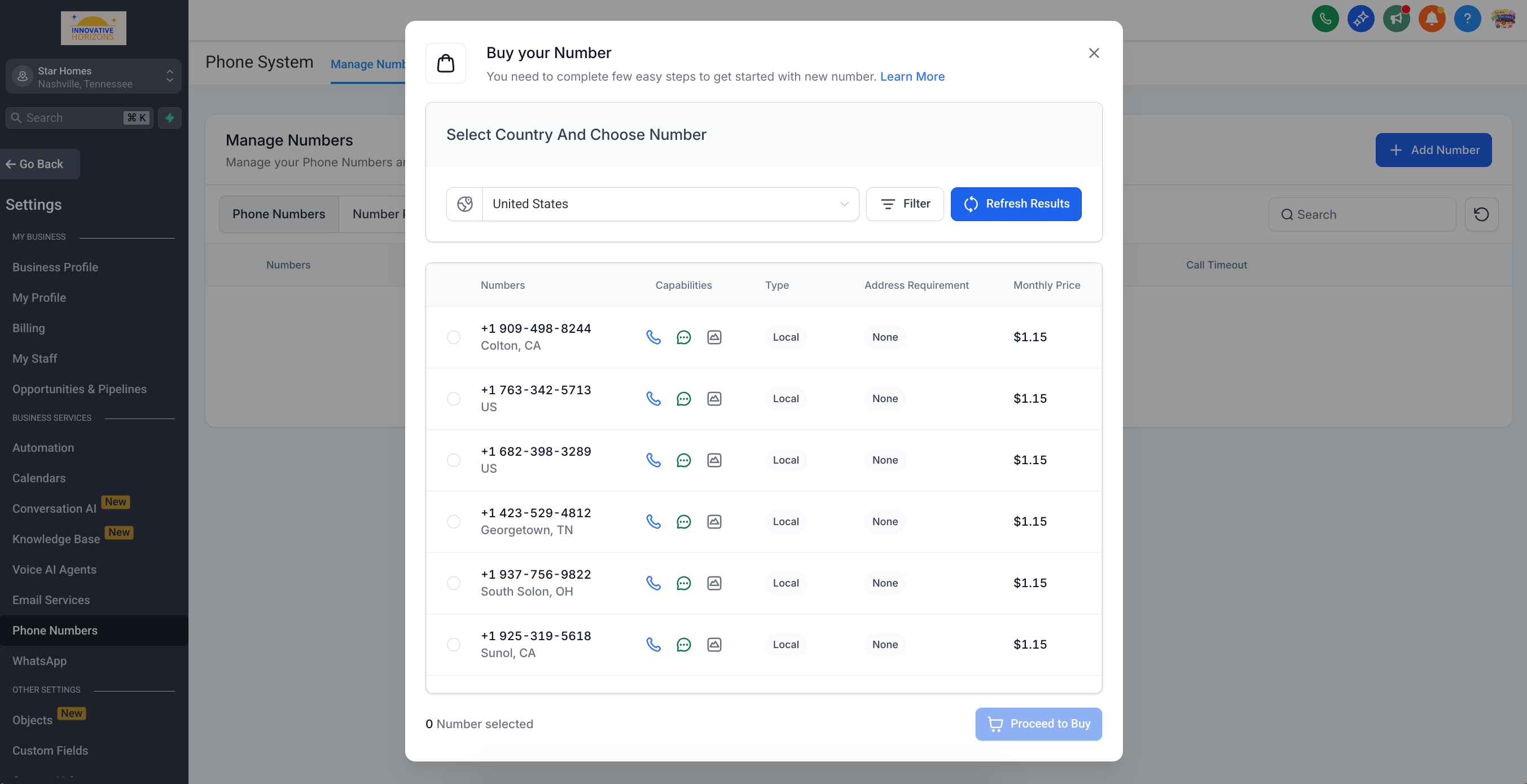
Filter numbers by country and area code.
Select your desired phone number.
Click Proceed to Buy.
Next, make sure you're ready to handle incoming calls efficiently by setting up call forwarding.
Forward Phone Calls
Stay responsive by directing incoming calls to the number that's most convenient for you:
Navigate to Settings > Phone Numbers.
Click the 3-dot action menu next to your phone number.
Click Edit Configuration.
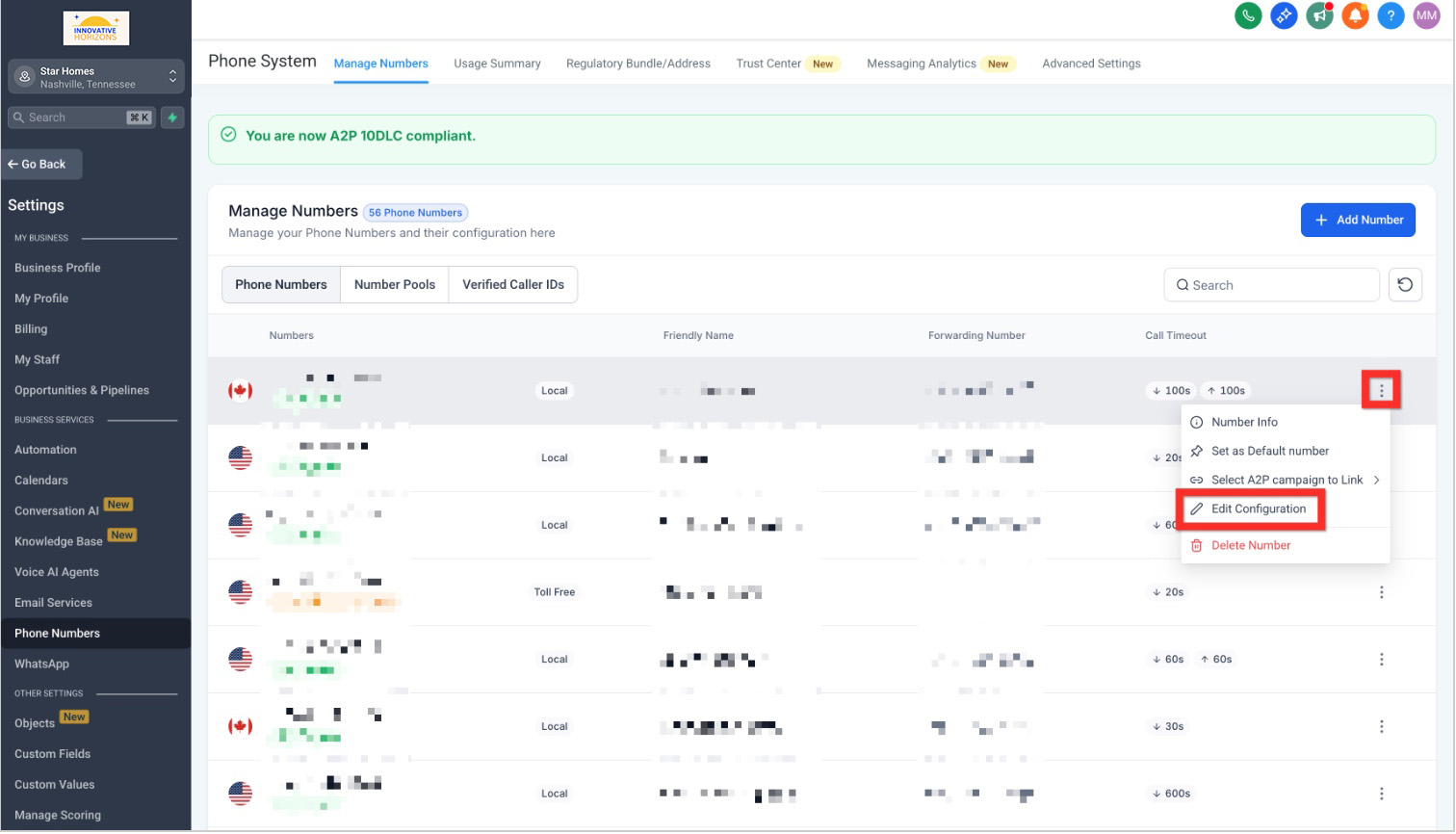
Enter your preferred forwarding number (e.g., your personal cell).
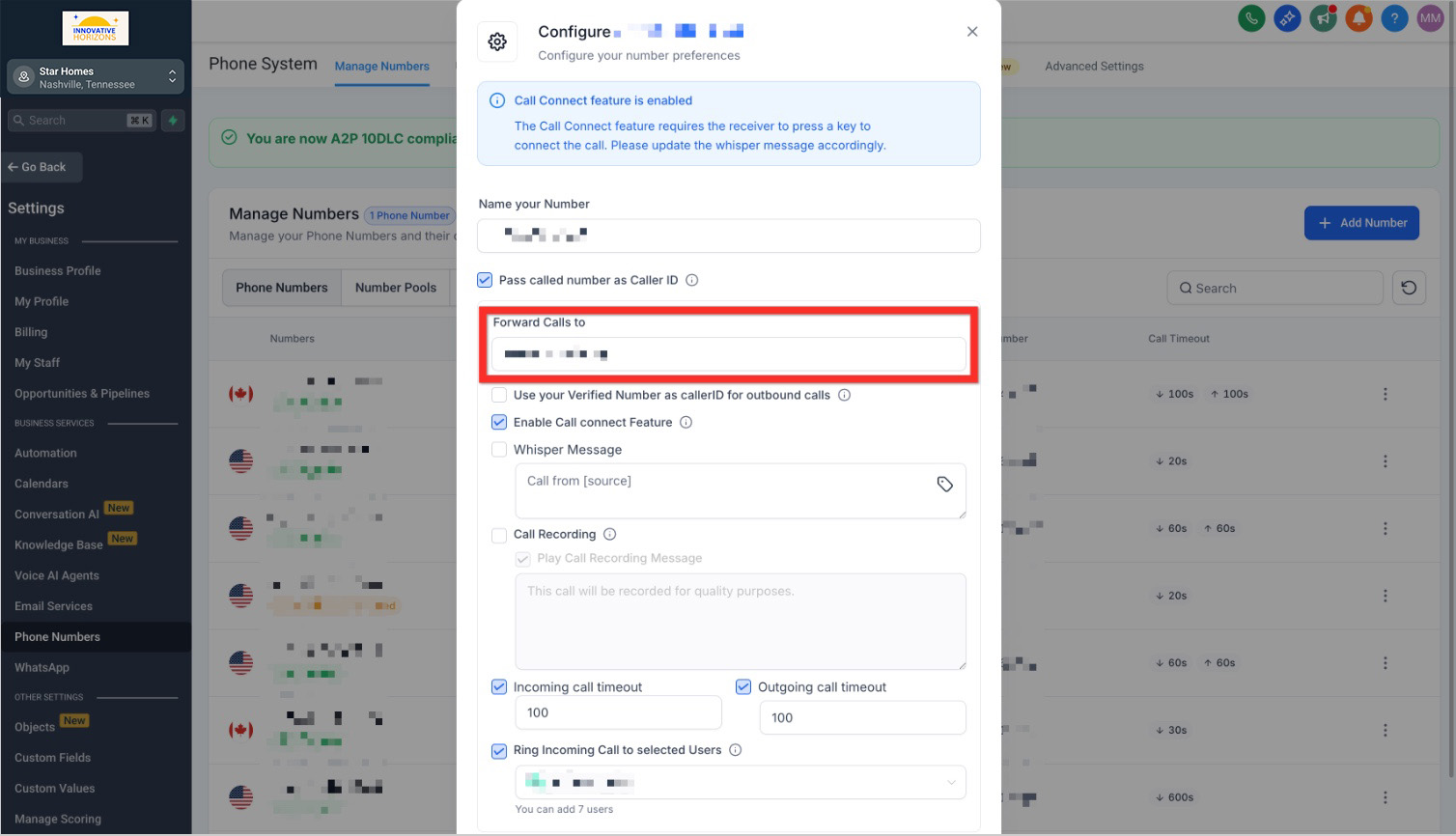
Click Save.
Next, learn how easy it is to initiate direct communication with individual contacts.
Contact a Contact
Quickly reach your contacts through their preferred communication channel:
Navigate to Contacts.
Browse, filter, or search to find the contact.
Open the Contact Card:
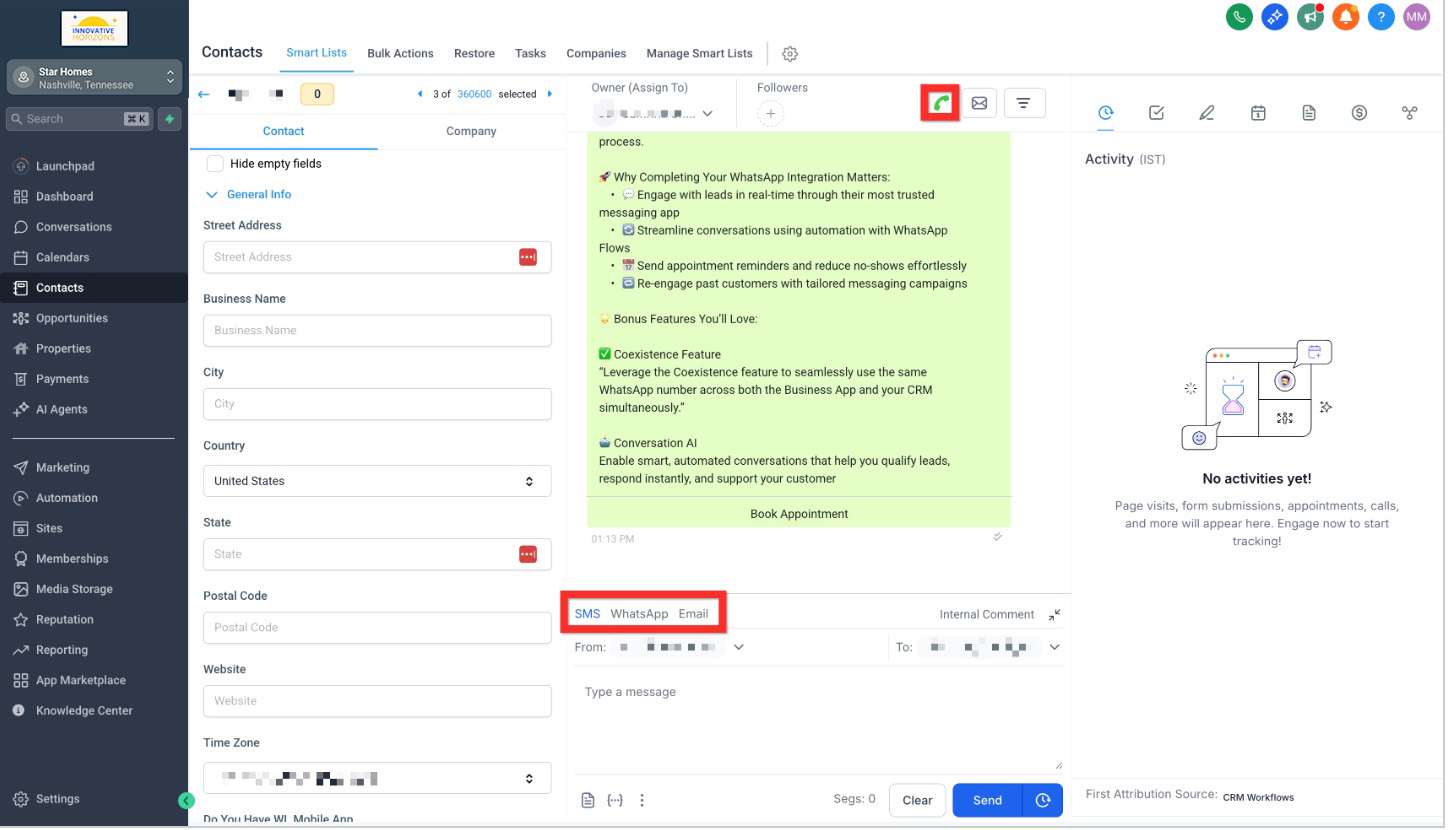
Call: Click the call connect button (green phone icon in the upper right).
SMS: Select the SMS tab in the message composer (bottom middle).
Email: Select the email tab in the message composer (bottom middle).
Next, boost your outreach effectiveness by communicating with multiple contacts simultaneously.
Contact Bulk Contacts
Maximize your reach efficiently with bulk communications:
Navigate to Contacts.
Open More Filters.
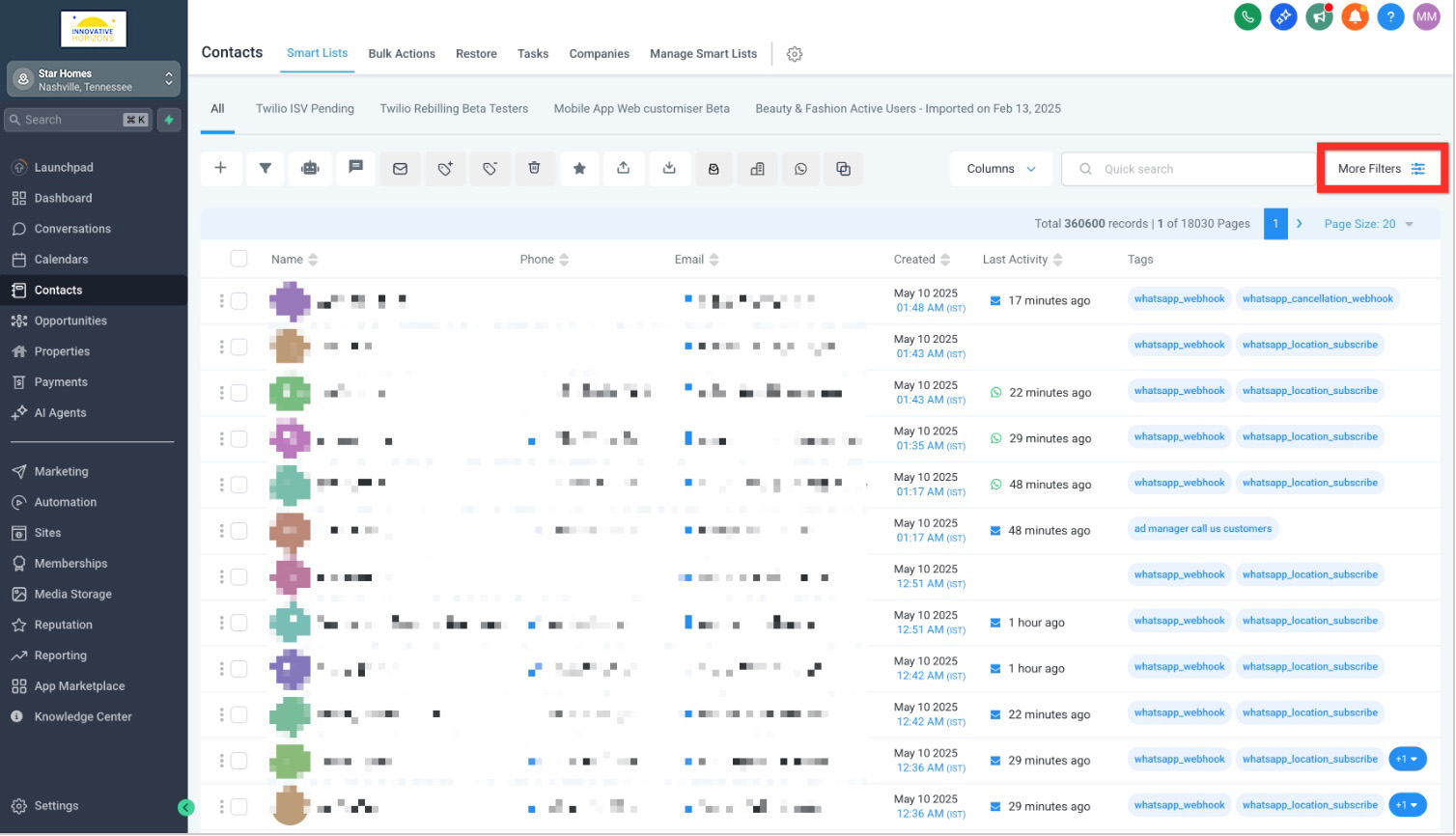
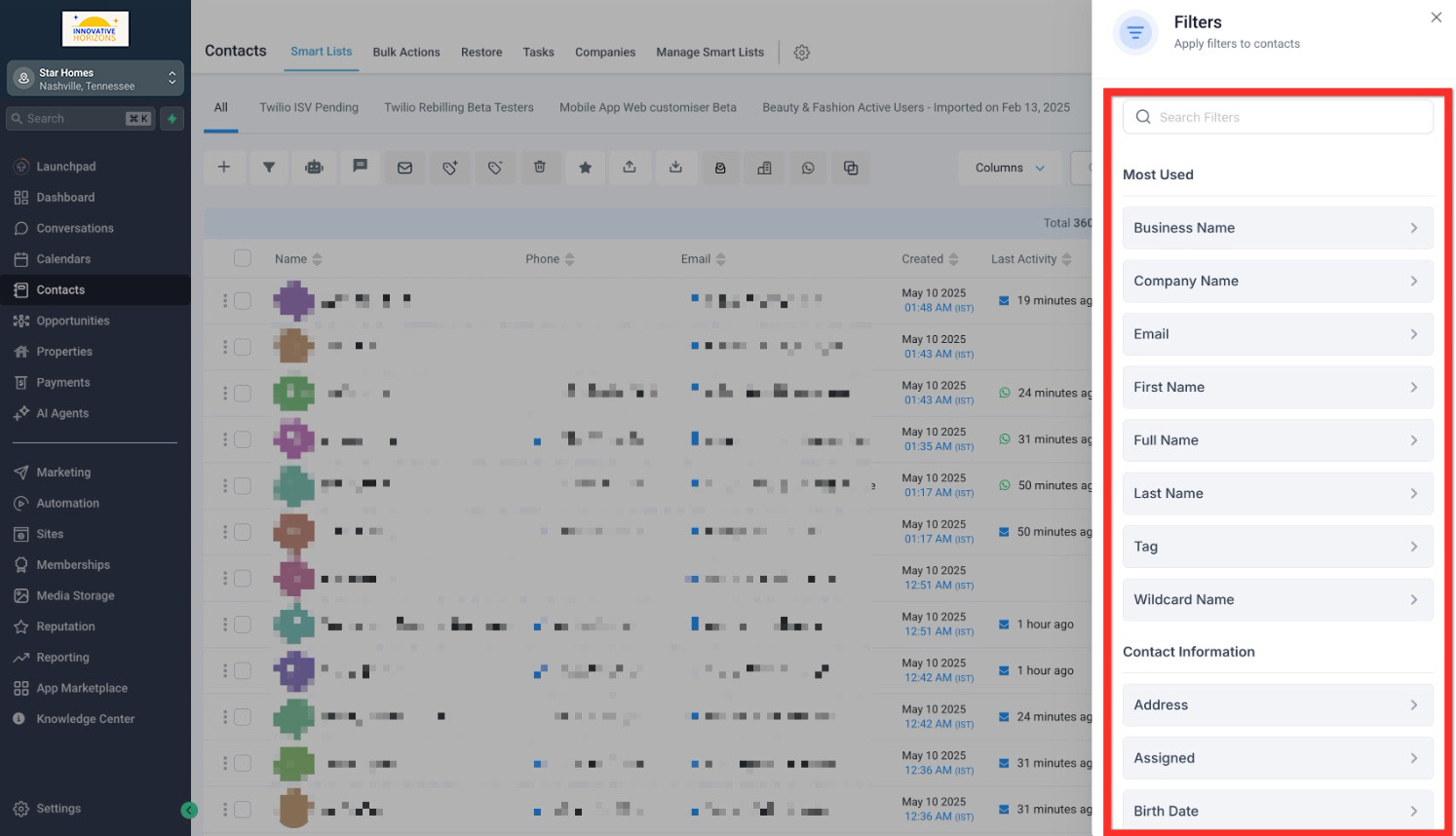
Filter your list to target the right audience.
Select the checkbox next to all desired contacts.
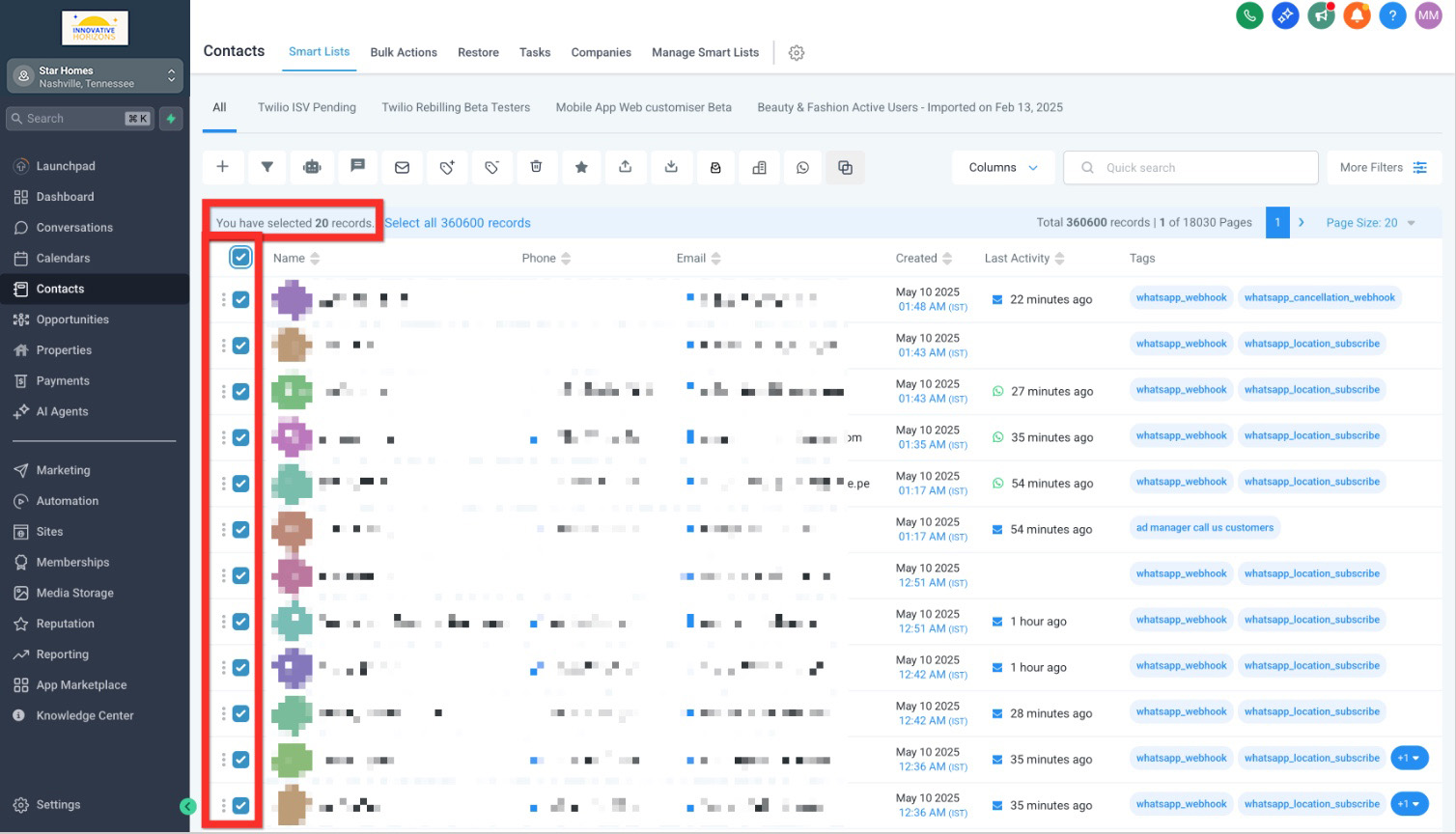
Choose your bulk action (email, SMS, etc.).
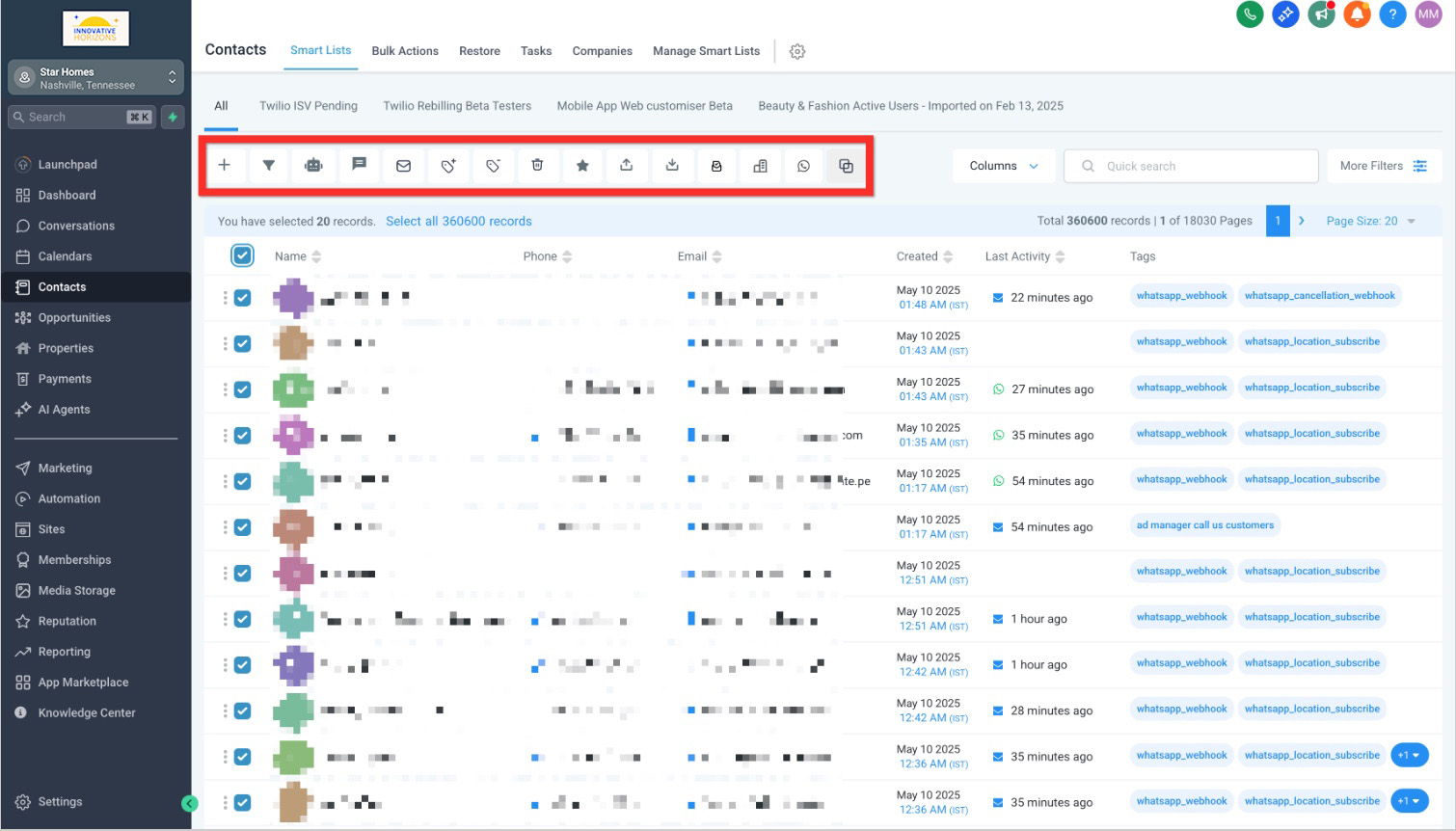
Next, continue exploring additional features to refine and enhance your communication strategy!
